
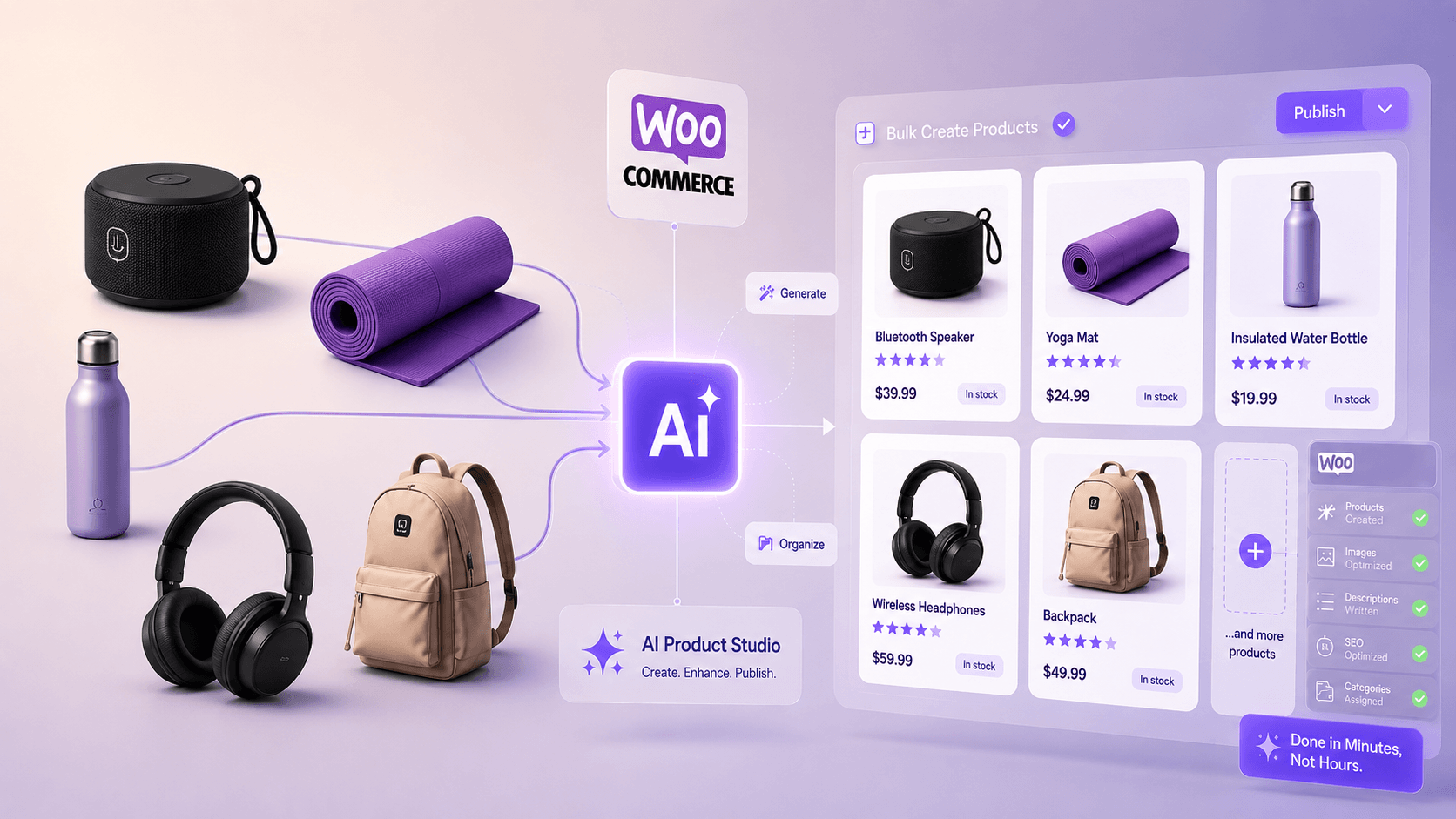
What this article covers
- Why WooCommerce Product Creation Takes Longer Than Expected
- Manual WooCommerce Product Creation: Useful, But Not Scalable
- Bulk WooCommerce Product Creation With CSV Import
- The Real Problem: Messy Product Data (Create WooCommerce Products in Bulk with AI)
Create WooCommerce products in bulk with AI, and it may sound like a simple way to save time. But the real challenge starts when you actually try to build a product catalog at scale.
You open the dashboard, click Add New Product, write a title, fill in the description, pick a category, set a price, upload images, handle attributes, and publish.
For a handful of products, that is perfectly fine.
But the moment you are looking at fifty, a hundred, or five hundred products, that simple routine starts to feel very different. It stops being a quick store task and becomes a slow, repetitive workflow that takes time, focus, and patience.
This is the point where many store owners start looking for a smarter way to handle bulk WooCommerce product creation.
WooCommerce already gives you some useful built-in options, especially CSV import. But in the real world, product data is rarely clean and ready to go. More often, it is scattered across supplier emails, rough spreadsheets, old PDFs, WhatsApp notes, client messages, or plain text descriptions that need serious cleanup before they are ready to publish.
That is exactly the gap AI can help you close.
In this guide, we will look at the normal ways to create WooCommerce products in bulk, where those methods work well, where they become difficult, and how AI can help you create WooCommerce products faster without losing control over quality.
Why WooCommerce Product Creation Takes Longer Than Expected
WooCommerce is flexible, and that flexibility is part of what makes it powerful. But flexibility also means there are a lot of fields to fill in before a product page is actually ready for customers.
A well-built product listing usually needs:
- Product title
- Short description
- Full product description
- Category and tags
- Regular price and sale price
- Product image and gallery images
- SKU and stock status
- Shipping details
- Attributes and variations
- SEO-friendly content
For a small catalog, you can handle all of this by hand without too much trouble.
For a growing store, it becomes a serious bottleneck. If each product takes five minutes, and many products take longer than that, a hundred products can easily turn into more than eight hours of work.
And that is before accounting for inconsistencies, missing fields, weak descriptions, or product pages that simply do not sound ready for customers yet.

Manual WooCommerce Product Creation: Useful, But Not Scalable
The most straightforward way to add a WooCommerce product is to go to Products → Add New and fill everything in yourself.
This gives you full control over every detail. For premium items, custom products, small catalogs, or products that need careful individual attention, manual creation can still make sense.
You can write exactly what you want, choose the right category, adjust the wording, and publish only when the product feels ready.
The issue is that manual entry does not scale well.
The more products you have to add, the more likely you are to become inconsistent with formatting, miss a field, repeat yourself, or end up with product pages that feel uneven compared to each other.
Manual product creation makes sense when:
- You only have a small number of products
- Each product genuinely needs individual attention
- Your catalog is stable and not growing quickly
- You want full control over every word and setting
Beyond that, you will probably want something faster.
Bulk WooCommerce Product Creation With CSV Import
WooCommerce includes a built-in CSV importer, and it can be genuinely useful.
With a CSV file, you can prepare many products in a spreadsheet, map your columns to WooCommerce product fields, and import everything at once.
A CSV file can include product data such as:
- Product name
- Description
- Short description
- Price
- Sale price
- Categories
- Tags
- Images
- SKU
- Stock status
- Attributes
If you already have a clean supplier CSV with all the fields filled in properly, this can save a huge amount of time. Instead of adding products one by one, you can get many products into your store in a single import.
For the right situation, CSV import is a strong solution.
The problem is that clean, ready-to-import CSV files are less common than many people expect.

The Real Problem: Messy Product Data (Create WooCommerce Products in Bulk with AI)
CSV import works best when your product information is already organized.
But many store owners do not start with a perfect spreadsheet.
Real product information often lives in places like:
- Supplier PDFs with inconsistent formatting
- Old spreadsheets with missing columns
- Email threads and client messages
- Short product notes that skip important details
- Manufacturer descriptions that are technically accurate but not customer-friendly
- Plain text files with rough product information
- Catalogs that were never prepared for WooCommerce
Even when a CSV file exists, it might not actually be ready to publish.
A supplier file might include a product name and price but leave the description blank. Or it might include descriptions that are too short, duplicated, vague, or not suitable for your store’s tone.
Here is a realistic example of what raw product data often looks like:
Brown men shoes, leather style, casual, size 40-44, lightweight, good for daily use, shipping 2kg box
That is useful source material.
But it is not a complete product page.
Turning it into a proper product title, short description, full description, and relevant tags still takes time and thought, even when you already know what you want to say.
That is the real bottleneck for many WooCommerce stores.
It is not only moving data into WooCommerce. It is preparing product content that is actually ready for customers to read.

How AI Helps Create WooCommerce Products Faster
AI is useful exactly where the manual work is slowest: taking rough product information and turning it into structured, readable product content.
With AI in the workflow, you are not starting from a blank page every time. You are starting from a generated version that already has structure, and your job becomes reviewing and refining rather than writing everything from scratch.
Given the raw product note above, AI can help produce something like this:
These brown casual leather-style men’s shoes are made for everyday wear. With a clean, versatile look and a lightweight feel, they are easy to pair with most outfits, whether you are heading to work or keeping things relaxed on the weekend. Available in sizes 40–44.
That version is more useful for a customer.
It reads like a real product description instead of a list of disconnected details.
This does not mean you should remove the human review step. For any serious WooCommerce store, you still want someone checking that the details are accurate, the tone fits the brand, and nothing sounds misleading.
But reviewing a good AI-assisted product description is often much faster than writing one from zero.
That difference matters a lot when you are working through a large batch of products.
CSV Import vs AI-Assisted WooCommerce Product Creation
CSV import and AI-assisted product creation are not competing methods. They solve different problems.
CSV import is useful when your product data is already clean, structured, and ready to move into WooCommerce.
AI-assisted product creation is useful when your product information exists, but it is rough, incomplete, inconsistent, or needs better wording before it is ready for customers.
| Situation | Better option |
|---|---|
| You have a clean, structured supplier CSV | WooCommerce CSV import |
| You need to move hundreds of fixed product rows | CSV import |
| Your product data is rough or incomplete | AI-assisted content creation |
| Product descriptions are weak, too short, or inconsistent | AI-assisted writing |
| You want consistent tone across many products | AI-assisted workflow |
| You want to review products before publishing | AI-assisted product creation |
| You need both structure and speed | Use CSV and AI together |
In practice, many stores may use both.
CSV import can handle the structured product data. AI can help with the content that needs to be written, cleaned up, expanded, or improved.
Bulk Product Creation Is Not Just About Speed
When people look for bulk WooCommerce product creation solutions, the assumption is usually that the main problem is volume.
Get more products in faster.
But volume is not always the core issue. Content quality often matters just as much.
A product page is not just a database entry. It is something a real customer reads before deciding whether to buy.
If the title is vague, the description is thin, or the page feels unfinished, the product may not perform well even if it was imported efficiently.
That is why the combination of speed and quality matters.
You want to move faster without publishing product pages that feel rushed.
AI can help with that balance. It can reduce repetitive writing work while still allowing you to review and control the final result.
A Practical AI Workflow for WooCommerce Product Creation
Here is a simple workflow that works well for stores dealing with messy or incomplete product data.
Step 1: Collect Your Raw Product Information
Start with whatever product information you already have.
This could be a spreadsheet, supplier notes, short product descriptions, old website content, client messages, or plain text.
You do not need everything to be perfect at this stage.
The goal is to collect enough useful information for each product.
For example:
Brown men’s casual shoes, leather style, sizes 40-44, lightweight, daily use, 2kg shipping box, comfortable sole
Step 2: Use AI to Turn Rough Notes Into Product Content
Next, use AI to generate a cleaner product title, short description, full description, and possibly tags or category suggestions.
This is especially helpful when the source material is minimal, messy, or inconsistently written.
Instead of staring at a blank product description field, you get a structured starting point that is easier to review.
Step 3: Review Before Publishing
This step is important.
AI can help you create products faster, but you should still review the result before publishing.
Check that:
- The product details are accurate
- The description does not make false claims
- The tone matches your store
- The category and tags make sense
- The final page is ready for customers
AI can speed up the writing part significantly. The review part should still be handled carefully.
Step 4: Publish or Stage for Final Approval
Once the product looks right, you can publish it or keep it for final review.
For most stores, keeping a review step between AI-assisted content and live product pages is the safer approach.
That way, you get speed without losing control.

AI Product Studio for WooCommerce
If you are looking for a dedicated tool for this kind of workflow, AI Product Studio for WooCommerce is worth looking at.
It is built for store owners, freelancers, and WooCommerce professionals who want to take rough product notes and turn them into structured, reviewable WooCommerce product content without manually writing everything from scratch.
The idea is simple:
Give it your raw product information, and it helps generate product content that is ready for you to review, edit, and publish.
This is particularly useful when you do not have a clean CSV ready, but you do have product information that needs to be organized, expanded, and written properly.
For example, you can start with rough notes like this:
Black travel backpack, waterproof, laptop pocket, 25L, lightweight, good for students and travel
Then AI can help turn that into a more complete WooCommerce product title, description, and product content that is easier to review.
The goal is not to replace your judgment.
The goal is to help you move faster while keeping control over the final product page.
Try AI Product Studio for WooCommerce
AI Product Studio for WooCommerce is available as a free plugin on WordPress.org.
You can try the free version here:
Free version on WordPress.org:
https://wordpress.org/plugins/ai-product-studio-for-woocommerce/
If you need more advanced product creation features, you can also check the Pro version:
AI Product Studio Pro:
https://clugins.com/ai-product-studio-pro-for-woocommerce/
You can also read the documentation here:
Documentation:
https://clugins.com/ai-product-studio-for-woocommerce-doc/
The free version is a good place to start if you want to test how AI-assisted product creation can fit into your WooCommerce workflow.
The Pro version is designed for users who need more power, more flexibility, and a more complete product creation workflow.
When AI Product Studio Is the Right Fit
AI Product Studio can be useful if:
- You add WooCommerce products regularly
- Product writing slows you down
- Your product data comes in rough or inconsistent form
- You do not always have clean, import-ready CSV files
- You want AI to help with product content but still want to review before publishing
- You manage product catalogs for clients
- You want to reduce repetitive writing without lowering content quality
It is especially helpful for store owners who already have product information, but do not want to spend hours turning that information into polished WooCommerce product content manually.
When WooCommerce CSV Import Is Still Better
To be clear, AI is not always the right tool for every product task.
If you already have a complete, well-structured supplier CSV with all the fields filled in properly, WooCommerce’s built-in importer may be the fastest path.
CSV import is the right call when:
- Your product data is already organized and complete
- You are moving a large number of products with fixed, consistent fields
- The descriptions are already written and do not need improvement
- You only need to get data into WooCommerce, not create content from scratch
In those cases, you may not need an AI tool for every product.
But if the descriptions in that CSV are thin, duplicated, or not customer-ready, AI can still help clean things up before or after import.
Use the Right Tool for the Right Stage
There is no single method that works best for every WooCommerce store.
Manual creation gives you control.
CSV import gives you volume.
AI-assisted content creation helps when your product information needs to be shaped into something worth reading before it goes live.
The right workflow depends on what you are starting with.
Clean, structured data? Use CSV.
Rough notes and incomplete descriptions? AI can speed up the content side considerably.
Large catalog with mixed quality? You may use both.
The point is to stop spending hours on repetitive work that a better workflow can handle much faster.
Final Thoughts
Building out a WooCommerce catalog at scale is not just a data management problem. It is also a content problem.
WooCommerce gives you the tools to add products manually and import them in bulk. But those tools work best when your product content is already in good shape.
In practice, it often is not.
That is where the real time goes.
AI can help close that gap. Not by replacing your judgment, but by helping with the first version so you can spend more time reviewing, improving, and publishing instead of writing everything from scratch.
If you want to try this kind of workflow, the free version of AI Product Studio for WooCommerce is a good place to start.
Try AI Product Studio for WooCommerce:
https://wordpress.org/plugins/ai-product-studio-for-woocommerce/
Explore AI Product Studio Pro:
https://clugins.com/ai-product-studio-pro-for-woocommerce/
Read the documentation:
https://clugins.com/ai-product-studio-for-woocommerce-doc/
Explore more tools and guides from Clugins
If you enjoy practical software ideas, creator workflows, WordPress tools, and Unity productivity tools, you can explore the Clugins docs or see what we are building next.